What's New
Feature guides and release highlights for eDots on iPhone, iPad, and Mac.
2026-08-02
What's New in 1.4.0
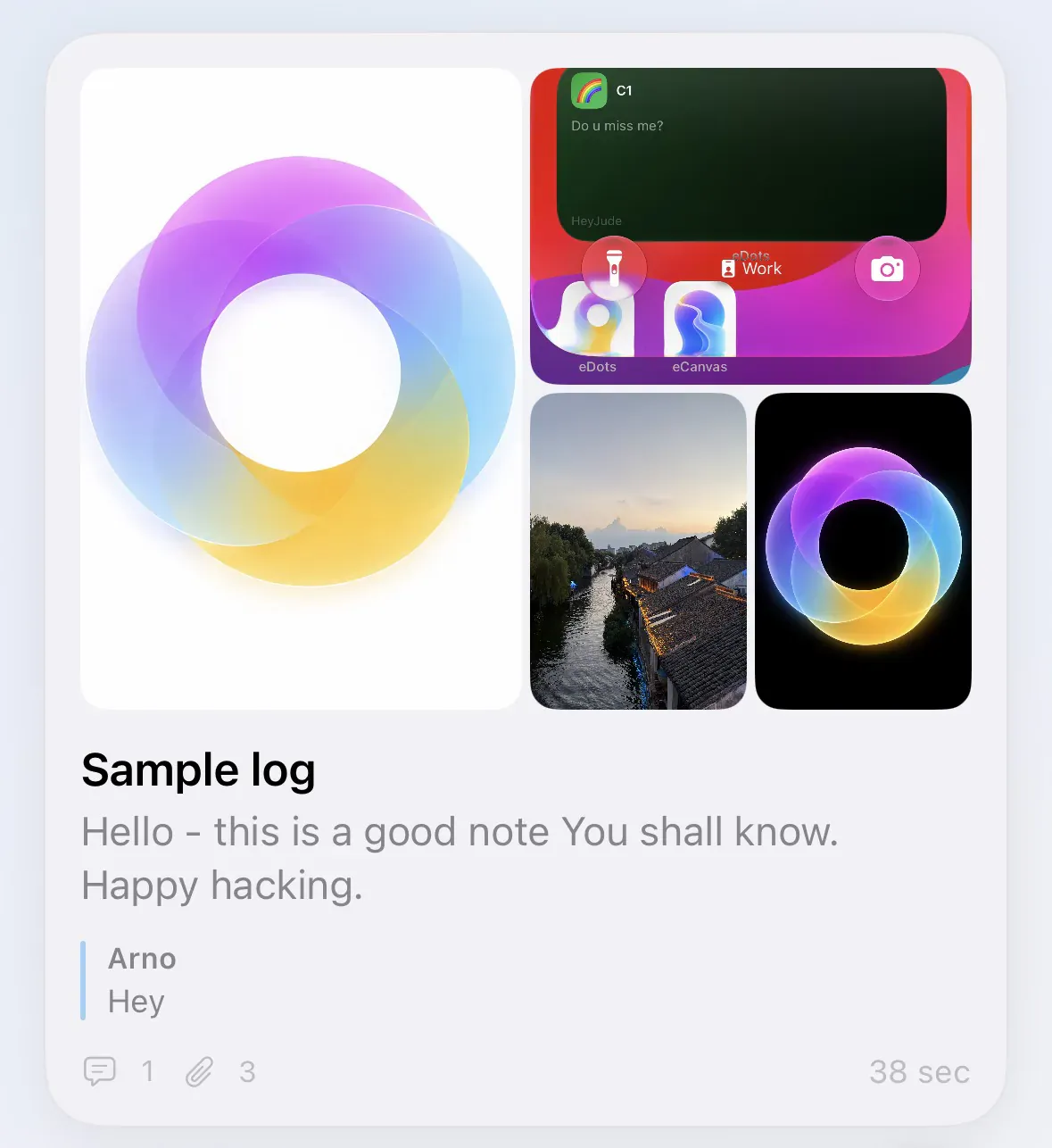
Feed Journal Cards & Diary Detail
Write and read like a journal
Feed collections now feel like a calm journal spine: memory-shaped cards in the list, a Diary detail when you open a dot, and a lighter create form when you capture.
Try it
- Create or open a Feed collection — skim the journal cards in chronological flow
- Tap a card to open Diary detail — photos and content read as one memory
- Create Dot in a Feed collection — primary fields stay Title, Content, and Attachments (more under Edit more)
Journal is the feel; the scenario name stays Feed — same collection, calmer writing.
Comment Reactions & Replies
Keep the conversation going with pals
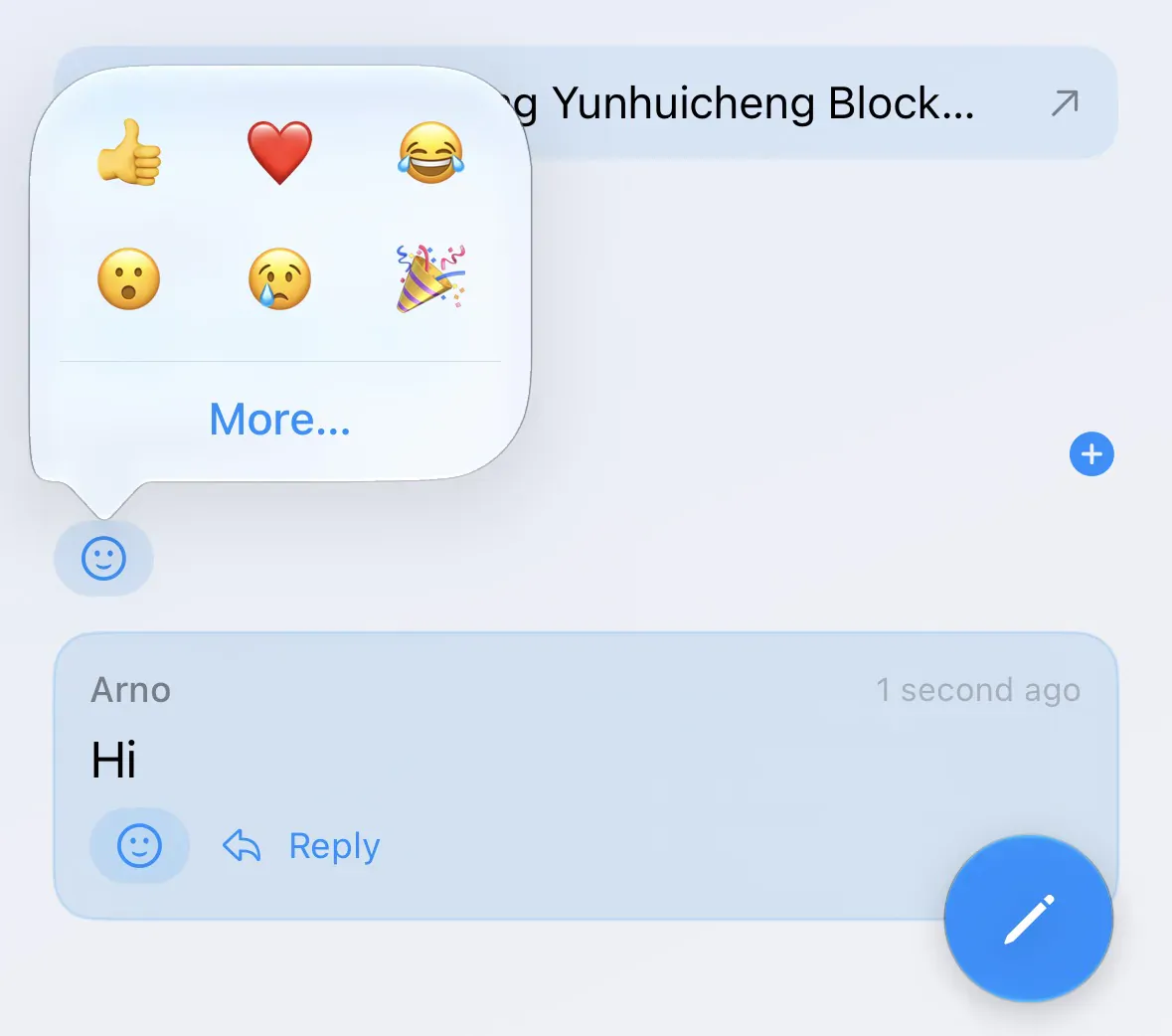
Shared journaling gets a clearer voice: remembered comment authors, emoji reactions on dots and comments, and one-level replies — plus a compact 2×3 quick-reaction picker with More… for the full set.
Try it
- Open a shared collection → any dot
- Add a comment, or tap reply once under an existing comment
- Tap the reaction control for the dense emoji grid (or More… for the full picker)
Names stick from iCloud / remembered author so threads stay human across devices.
Co-edit Notification Controls
Quiet one shared collection without changing everything
Co-editors can mute Comments, New Dots, Content Edits, and Deletes on a single shared collection — those mutes AND with your global Collaboration prefs. Deletes stay off by default and fire when something is trashed.
Try it
- Open a shared collection → Reminders → Collaboration toggles for that collection
- Set your defaults under My Dots → Notifications
- Keep Deletes off globally unless you want trash alerts
Shared journaling stays alive — without a firehose.
Three App Icons
Pick the home-screen look that fits you
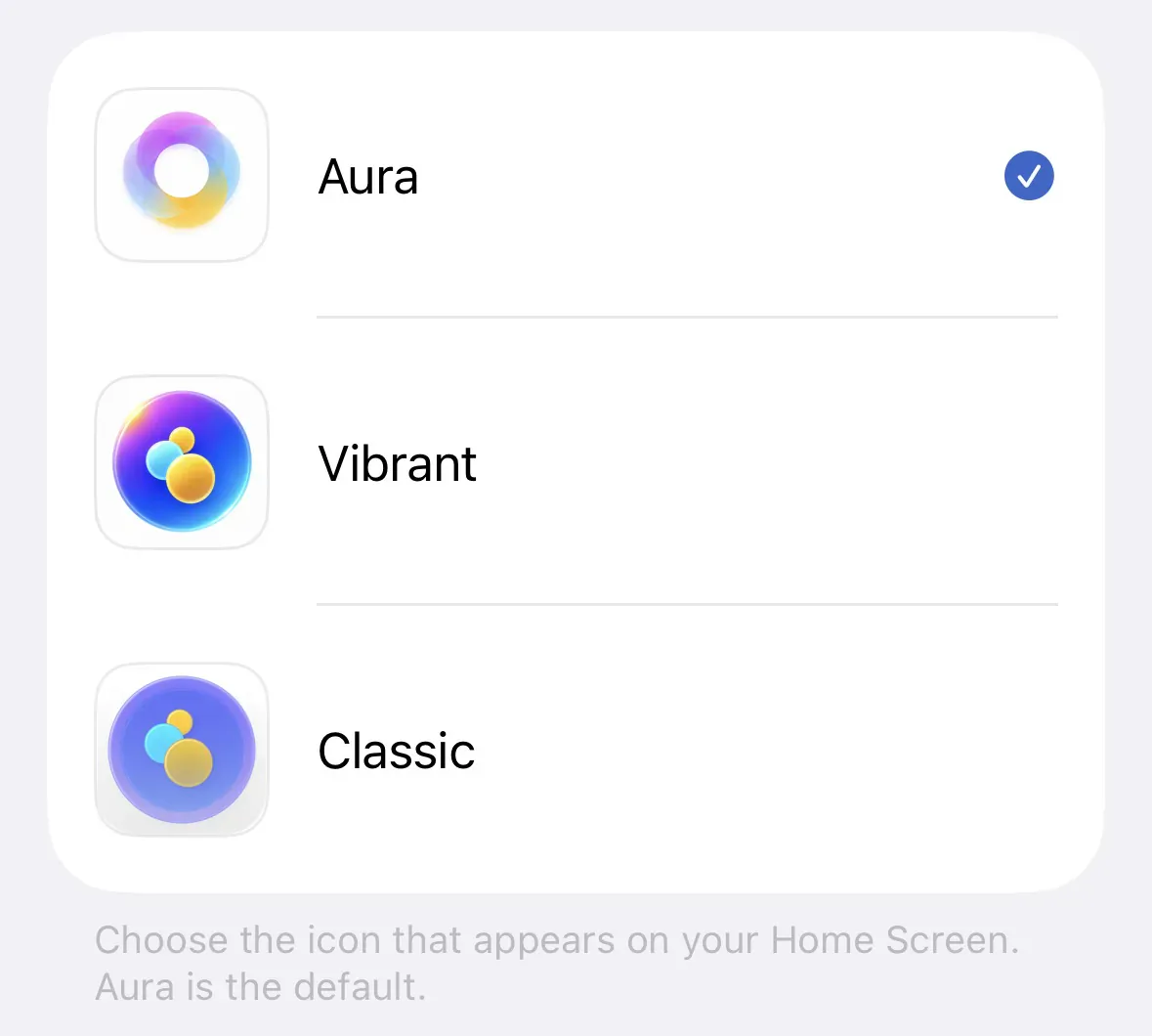
Choose among three eDots icons: Aura (default ring), Vibrant (glass three-dot), and Classic (blue disc).
Try it
- Open My Dots → App Icon
- Tap Aura, Vibrant, or Classic — your Home Screen updates immediately
Available on iPhone and iPad.
Also in 1.4.0
Small upgrades that make daily use smoother
Also in this update
- Selectable markdown — select across paragraphs in dot bodies; on iOS use Copy, Look Up, Translate, Speak, and Select All
- iCloud-synced reminders — reminder entries sync with your account so they survive reinstall, Replace Local Data, and new devices
Tap ✨ on Recent anytime to reopen this guide.